
Fluid - Magic Antistress
DoGreat TechnologiesSimulation
4.96.64K Reviews
- Version
- 4.37.0
- Installs
- 500.00K
- Age Rating
- Everyone
Screenshots




Our Review of Fluid - Magic Antistress
 Analysis by Appyee
I think Fluid - Trippy Stress Reliever makes the most sense when you treat it as a small, hands-on visual break rather than a full meditation program or a game with goals. It is a simulation game from DoGreat Technologies, and its appeal is the direct connection between your touch and the shifting colors on screen. There is no score to chase or task list to clear, which makes it easy to open for a short pause and leave when you are ready.
Readability and navigation without a learning curve
The interface keeps the focus on the moving image instead of asking you to work through a complicated setup. That is useful if you want a quick experience without first learning a new system: open the app, interact with the screen, and see what happens. I find that low-friction approach more important here than a large set of menus, because the point is to settle into the visual activity rather than manage it.
The trade-off is that a very spare interface may offer less guidance to someone who wants clear instructions or a structured routine. Fluid is better suited to people comfortable exploring by touch than to anyone expecting a guided breathing session, a progress dashboard, or a sequence of exercises. If you prefer explicit prompts that tell you what to do next, a dedicated mindfulness app will be a more natural fit.
A Splash of Color and Calm
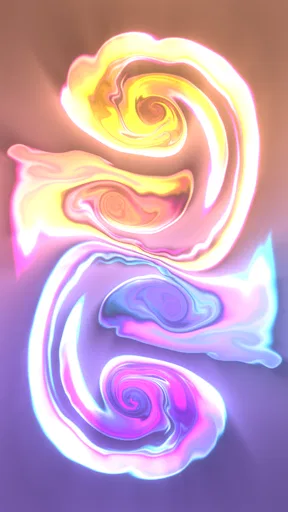
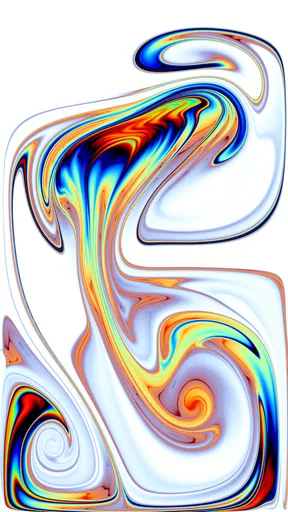
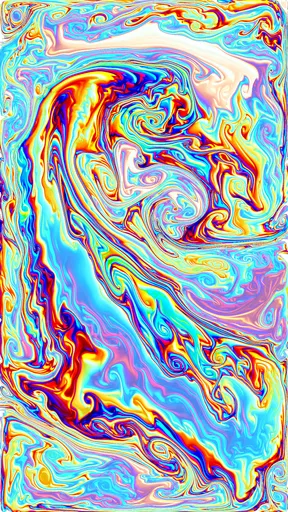
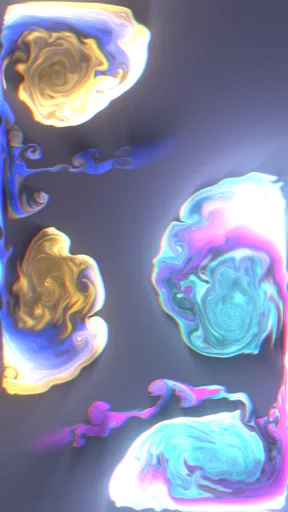
The first thing that strikes you about Fluid - Trippy Stress Reliever is its vibrant and mesmerizing display of colors. The app opens up to a swirling mass of colors that respond to your every touch. It’s like having a tiny universe in your pocket, ready to explode into a dance of hues and shades at your command.
What I love about this app is its simplicity. There are no complicated menus or overwhelming options. You just open it up and start playing. The interface is intuitive, allowing you to focus more on the relaxing experience rather than figuring out how to use it. It’s as easy as tapping and swiping your finger across the screen to create mesmerizing patterns.
The Science Behind It
For those of you who geek out over the science stuff like I do, there's a bit of magic behind the scenes. The app uses fluid dynamics principles to simulate the motion of fluids, which is what creates those hypnotic patterns. It’s not just pretty to look at; it’s a digital representation of a very real scientific phenomenon.
This means that every interaction you have with the app is unique. The patterns you create are influenced by the speed and direction of your touch, making each session distinct from the last. It’s an endless canvas of creativity and relaxation.
Motor and sensory considerations
Because the experience is driven by tapping and swiping, it can be approachable for someone who prefers brief, simple gestures over precise controls. You do not need to keep track of a moving target or coordinate a series of timed actions. A slow movement can be enough to make the screen change, while more energetic gestures create a different kind of visual activity. That makes the interaction easy to experiment with, though it still depends on being able to touch and move across a screen.
The same vivid movement that some people find absorbing may feel too busy for others. If you are sensitive to bright colors, motion, or shifting patterns, try a short session in a comfortable setting and stop if it feels tiring rather than calming. I would not assume that a colorful visual experience works as a soothing one for everyone; personal tolerance matters, and a quiet audio track or a still-screen relaxation tool may be a better choice on a difficult day.
Getting Lost in the Fluid
One of my favorite features is the ability to adjust the color palette and effects. You can choose different color schemes to match your mood or even create your own custom palettes. The app also offers different visual effects that can be toggled on and off, allowing you to tailor the experience to your liking.
And here's the kicker: there’s no wrong way to use this app. Whether you’re looking to unwind after a long day, spark some creativity, or just zone out for a few minutes, Fluid - Trippy Stress Reliever adapts to your needs. It’s a digital stress ball that never deflates.
Situational access: fitting a small break into the day
A realistic use for me is a short pause between tasks: I can open Fluid after finishing a piece of work, spend a few minutes making the colors move, then return to what I was doing without needing to finish a level or remember where I left off. It can also suit a quiet moment at home when I want something to look at and interact with but do not feel like choosing a video or starting a longer game. The lack of a required objective is helpful when my attention is already scattered.
That convenience has limits. The screen needs to be visible, and the gestures need to be comfortable, so this is not a hands-free option or a substitute for an audio-only break. In a shared space, bright motion may also draw attention or bother someone nearby. I would use it when I can give the display a little attention, not while walking, working through a conversation, or trying to rest my eyes.
Why It's Worth Your Time
In a world where we’re constantly bombarded with information and notifications, having a tool that encourages you to slow down and simply be is invaluable. This app isn’t about achieving a high score or completing levels; it’s about enjoying the moment and finding peace in the chaos.
Moreover, the app is lightweight and doesn’t require a ton of resources, which means it's not going to drain your battery or hog your device’s memory. Plus, it’s available for both Android and iOS, making it accessible to anyone looking for a little pocket-sized peace.
What to expect before you install
Fluid has an average rating of 4.9 from around 35,000 ratings, with roughly 6,600 written reviews and over 500,000 installs. It is rated Everyone, costs $1.69, and its current version is 4.3.89; it was released on October 14, 2018, and requires Android 7.1 or later. Those details make the purchase decision fairly straightforward: this is a paid, focused visual experience, not a free trial of a larger game. I would buy it for the distinctive touch-driven display, not on the assumption that it will replace a therapist, a guided relaxation plan, or a complete game.
Compared with the usual alternatives, it occupies a different middle ground. A conventional casual game gives you rules, goals, and a reason to keep playing; Fluid gives you no such progress loop, so it is easier to dip into briefly but may feel repetitive if you need a challenge. A meditation app tends to provide structure or audio guidance, which can be more useful when you want help following a routine. A looping video is passive, while Fluid lets you influence what appears. The best choice depends on whether you want to watch, follow instructions, or make the visuals respond to you.
Remaining barriers and practical trade-offs
The lack of objectives is a strength for an informal break, but it also means the app cannot tell you when a session is complete or help you build a habit. If I were trying to create a regular relaxation routine, I would pair it with a reminder or choose an app designed around guided sessions. Likewise, people looking for a puzzle, story, or unlockable rewards should skip this one; the pleasure is in the immediate visual response, not in accumulating achievements.
There is also a practical question of where the experience fits. The paid price is modest, but it still asks you to pay for a fairly specific kind of interaction. Before buying, think about whether you enjoy abstract moving visuals and whether you are likely to use them in short pauses. If you mainly want calming sound, eyes-closed relaxation, or a distraction that works without touch, another format will serve you better.
For someone choosing it as a present or recommending it to a family member, I would describe it plainly: it is an accessible-to-learn visual toy, not a universal accessibility solution. The Everyone age rating indicates its content is suitable for a general audience, but comfort with motion, color, touch, and screen use varies from person to person. That distinction is worth keeping in mind, especially when the intended user has sensory or motor preferences that make screen interaction tiring.
Final Thoughts
In the end, Fluid - Trippy Stress Reliever is more than just an app; it’s a portal into a world of color and calm. Whether you’re using it to unwind after a hectic day or to spark a bit of creativity, it offers a unique and personal experience that’s hard to find elsewhere.
If you’re seeking a simple yet profound way to escape the stress of everyday life, give this app a try. Trust me, your brain (and your sanity) will thank you. And who knows? You might just find yourself getting lost in the fluid.
Who I would recommend it to
I would point this toward people who enjoy abstract visuals, want an immediate interaction without a tutorial-heavy setup, and are happy to decide for themselves when a break is over. It is also a reasonable pick for a creative pause: changing the movement with a fingertip can feel more engaging than staring at a static image, without requiring the commitment of a full game. For a person who finds repetitive, self-directed interaction calming, the simple premise is a genuine advantage.
I would steer away from it if you need guided support, meaningful game progression, audio-led relaxation, or a screen-free way to decompress. It is also not an ideal choice if moving color tends to overstimulate you or if swiping is uncomfortable. I see its inclusive value in how little it asks you to learn, while recognizing that its visual and touch-based nature will not suit every body or every setting.
An inclusive verdict
What makes Fluid worthwhile is not that it solves every access need, but that it offers a low-pressure way to interact with a changing image. You can approach it casually, experiment with movement and color, and stop without losing progress. For the right person and moment, that freedom is more relaxing than a system full of prompts. My recommendation is simple: choose it if you want a hands-on visual pause, and choose a guided, audio-based, or less visually active alternative if those better match how you rest.
Verdict
Strengths of Fluid - Magic Antistress
- Beautiful and calming visual effects.
- Simple and intuitive user interface.
- Highly customizable settings.
- Effective stress-relief tool.
- Lightweight and fast performance.
Limitations of Fluid - Magic Antistress
- Lacks offline functionality.
- Limited sound options available.
- Ads can be intrusive at times.
- Requires in-app purchases for full features.
- May drain battery quickly on older devices.
Similar Picks in This Category
View All
Truckers of Europe 3
Wanda Software4.3

Town Building Life Simulator
XGame Global4.2

Fidget Toys Trading・Pop It 3D
Freeplay Inc4.7

Sculpt People
CrazyLabs LTD4.4

Scary Teacher 3D
Z & K Games4.2

Hair Tattoo: Barber Shop Game
CASUAL AZUR GAMES4.3
Frequently Asked Questions
What is Fluid - Trippy Stress Reliever, and how does it work?
Fluid - Trippy Stress Reliever is an interactive app designed to help users relax and relieve stress through mesmerizing fluid simulations. By touching the screen, users can manipulate colorful fluid patterns that shift and flow in response to their gestures, providing a calming and visually stimulating experience.
Is Fluid - Trippy Stress Reliever suitable for all ages?
Yes, Fluid - Trippy Stress Reliever is suitable for users of all ages. Its intuitive interface and simple touch controls make it accessible for children, while the relaxing visuals and soothing animations can appeal to adults seeking stress relief and mindfulness moments.
Does Fluid - Trippy Stress Reliever require an internet connection?
No, Fluid - Trippy Stress Reliever does not require an internet connection to function. Once downloaded, the app can be used offline, making it a convenient option for relaxation on the go, without the need for Wi-Fi or data usage.
Are there any customization options available within the app?
Yes, Fluid - Trippy Stress Reliever offers various customization options. Users can adjust the color schemes, flow dynamics, and visual effects to personalize their experience. These options ensure that the app can cater to different preferences and enhance the user's relaxation journey.
Is Fluid - Trippy Stress Reliever free to download and use?
Fluid - Trippy Stress Reliever is free to download, but it may offer in-app purchases. These purchases can include additional features or customization options. Users can enjoy the core functionalities without spending money, but exploring premium features may enhance the experience.
Play our best games!


